Expense Reimbursement Report
Claim travel and site expenses paid in any currency — record each expense from its receipt or invoice, set your own exchange rates, get exact totals by category and the net amount payable after any cash advance, and hand finance a formal PDF report and a ledger CSV, in English or Spanish, for a one-time price.
$49
One-time payment. No subscription. 2 activations per license.
Need a small change for your business? Customers get small adjustments free. Ask us →
What it does
Data entry from receipts and invoices
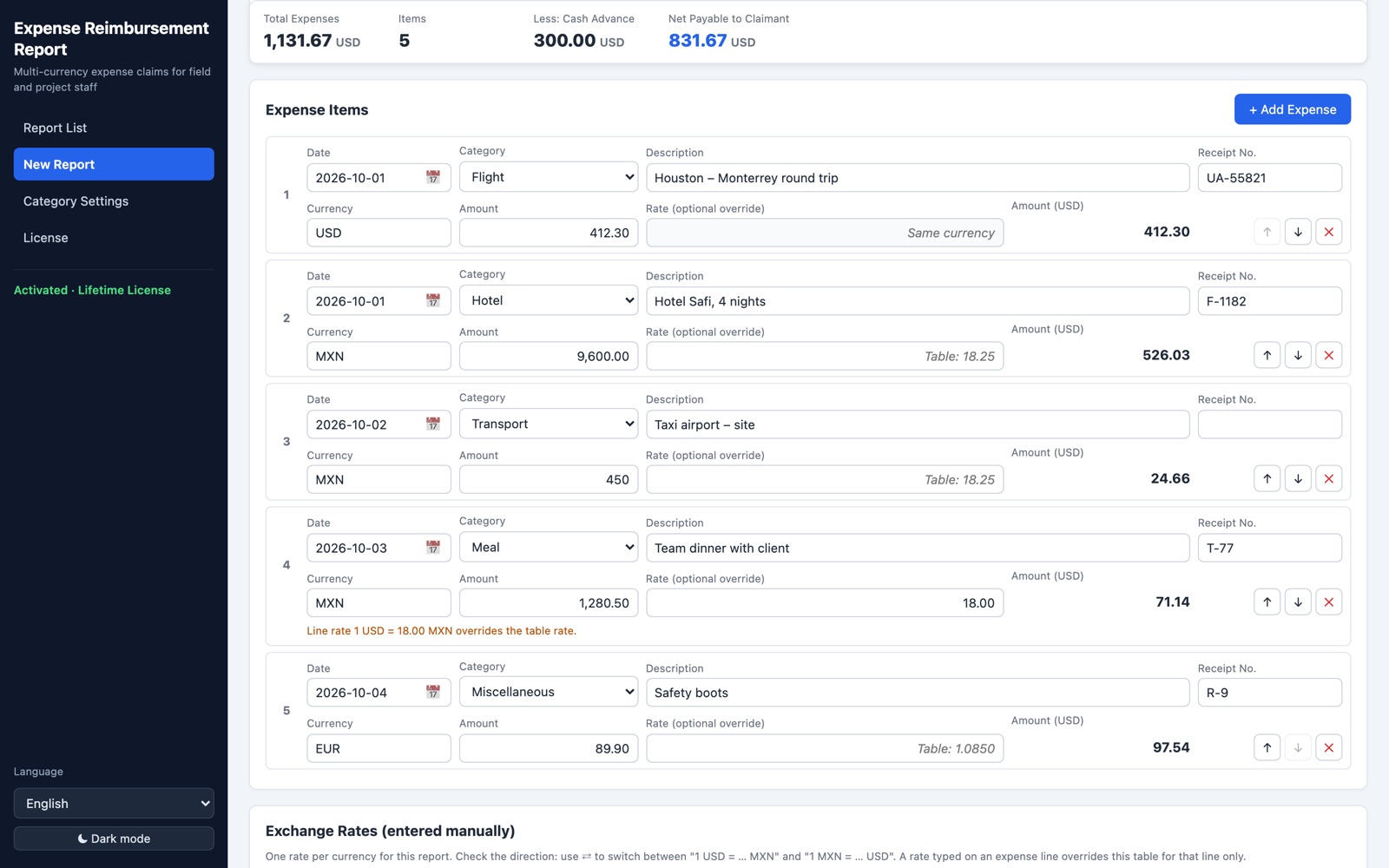
Enter each expense straight from its receipt or invoice: date, category, description, receipt / invoice No., currency and amount. The converted amount appears as you type.
Exchange rates you enter
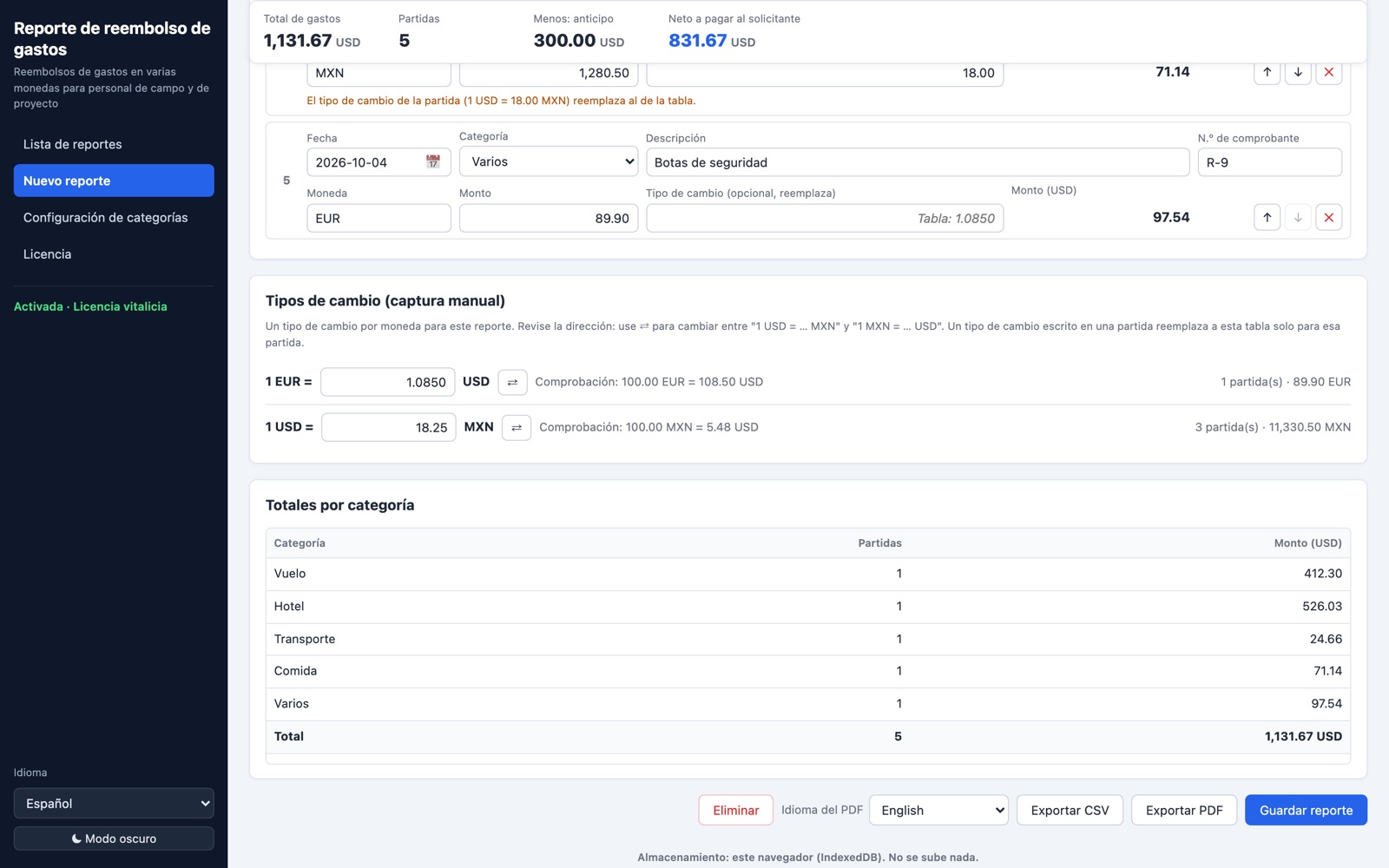
One rate per currency, written out as "1 USD = 18.25 MXN" with a direction switch and check line; line overrides possible.
Exact totals
Every line rounded to the cent and totals summed from the lines, by category and for the whole report.
Cash advance
Net amount payable to the claimant, or the amount owed back; out-of-period dates and missing rates are highlighted.
Reports and categories
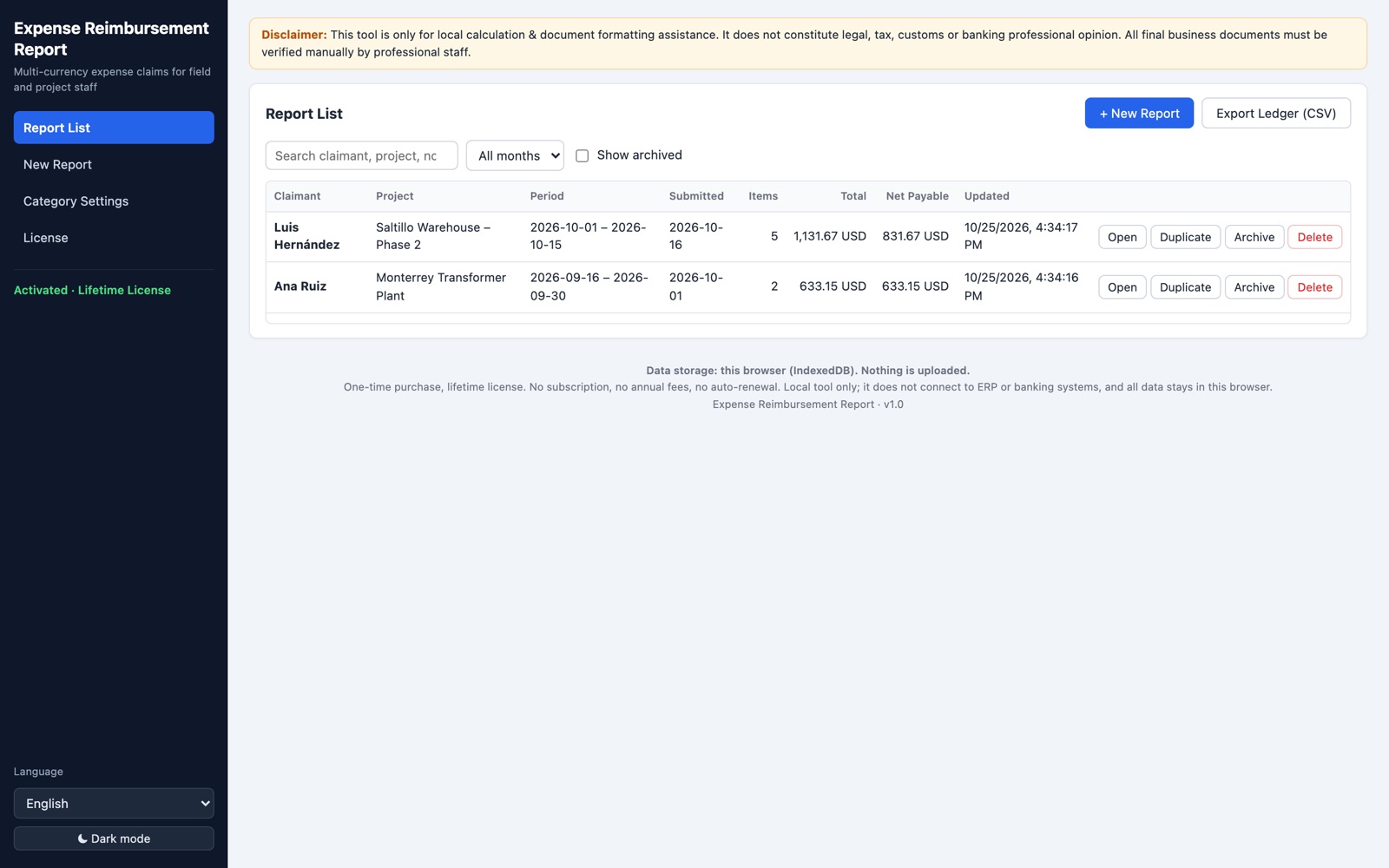
Filter by month, archive, duplicate last month's report; built-in categories you can rename, hide or extend.
PDF, ledger CSV, two languages
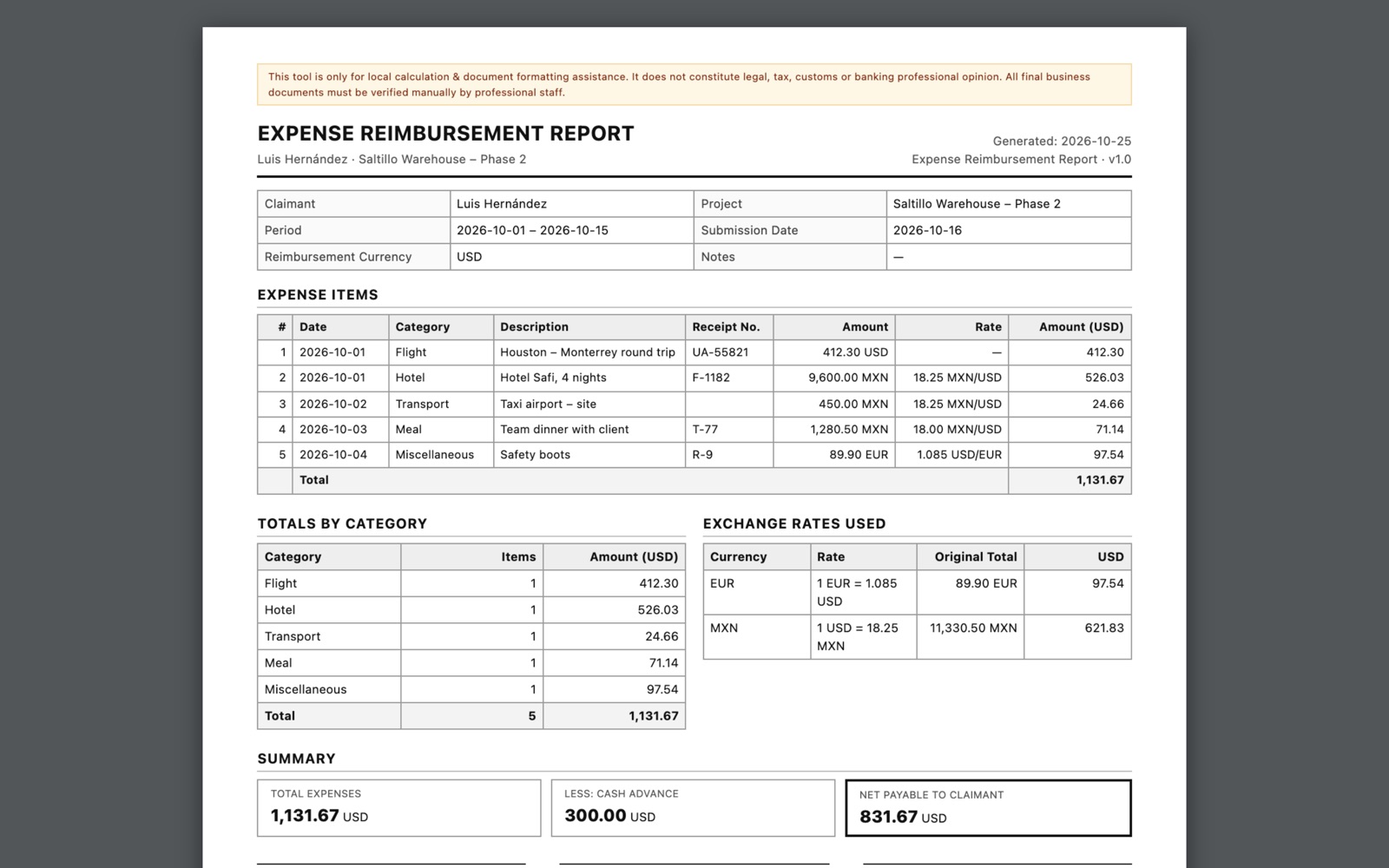
Formal PDF with signature lines in English, Spanish or bilingual; ledger CSV for finance; English / Español interface.
Screenshots
Requirements
- Nothing to install: unzip and double-click
index.html - Chrome or Edge (recommended), Safari or Firefox on Windows or macOS
- An internet connection for the first activation. After that it works offline, re-checking the license online at least once every 7 days.
What you get
- The complete tool (zip download) with a short English/Spanish setup guide
- A lifetime license key, emailed instantly
- 2 activations per license (for example office and laptop)
Who it's for
- Engineers and field staff on overseas projects
- Project accountants who check and file expense claims
Good to know: without a license you can save 3 reports (editing them is free); PDF and CSV exports unlock with the license. Exchange rates are entered manually; the tool does not fetch live rates or connect to banks or ERP systems. Data stays in your browser on your computer.